Change Pack
The Change Pack window appears when there are multiple monitored pack sizes for the DIN selected. It is best practice to use one pack size to fill prescription whenever possible. Depending on the medication, multiple pack sizes may be required.
To indicate from which pack size the inventory will be decremented:
- In the Change Pack window, enter the quantity that is required in the Reduce Inventory column.
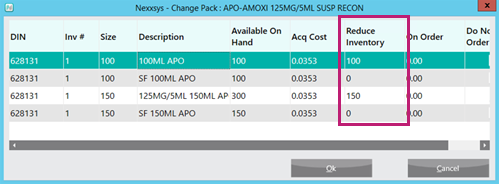
- From example, a prescription requires 224ml of Amoxi for prescription: 100ml + 150ml = 250ml.
- Select OK. The Change Pack window closes to the Rx Detail window.
- In the Pk(OH) field, the pack size will either change to:
- The pack size from which the inventory is being decremented.
- Multi - if multiple pack sizes are required.
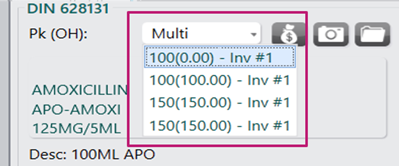
- Process the prescription as usual.
Note: If the wrong pack size is selected, select Rx > Change Pack to correct.